
Download Media ON – Play All Format, Video Player, Free Media Tool
Overview
Media ON – Play All Format is a free desktop media player designed to handle a wide variety of video and audio file formats without requiring additional codecs. The software aims to eliminate compatibility issues commonly encountered when playing media files on standard systems. Target users include casual viewers, students, content creators, and anyone seeking a straightforward way to play videos without technical setup.
The application is developed by AZD Studio, a company known for creating lightweight utility tools for multimedia consumption. It is particularly useful in environments where users frequently encounter diverse file types such as MKV, FLV, MP4, AVI, and others. Real-world usage scenarios include watching downloaded videos, streaming local content, or organizing personal media libraries.
The app’s primary purpose is to provide reliable playback with minimal configuration, making it ideal for users who value simplicity and immediate access to their media files. The developer did not provide additional system requirements, and no specific performance benchmarks were disclosed.
Key Features & Capabilities
- Wide Format Support – The player can recognize and play numerous video and audio formats, including MKV, FLV, MP4, AVI, MOV, and more, reducing the need for external codecs.
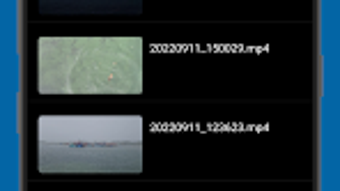
- Simple, Clean Interface – Designed with ease of navigation in mind, the UI allows users to quickly access their media library and start playback with minimal effort.
- Playlist Creation – Users can organize their videos into custom playlists, enabling seamless playback of multiple files in sequence.
- Playback Speed Control – Offers adjustable playback speeds, useful for educational content, language learning, or reviewing video material.
- Integrated Audio Equalizer – Allows users to fine-tune audio output, enhancing sound quality based on personal preference or listening environment.
These features are particularly helpful for users managing diverse media files across different sources. For example, a student can use the playback speed feature to review lecture recordings at 1.5x speed, while a home user can create playlists for family movie nights. The equalizer helps improve audio clarity when watching videos on low-quality speakers. While advanced editing or streaming features are not included, the core functionality remains focused and efficient. The developer did not specify additional features beyond those listed.
User Interface, Workflow & Performance
The user interface of Media ON is structured around a minimalistic design, prioritizing accessibility and ease of use. Navigation is straightforward, with main controls located in a clearly defined toolbar. Users can browse their local media files through a built-in file browser or drag and drop files directly into the player window.
The workflow is optimized for quick access: open the app, load a file, and start playback—no complex setup required. The player maintains consistent responsiveness during playback, with no reported lag or stuttering in typical usage. However, exact performance details were not specified by the developer.
Resource usage, including CPU and RAM behavior, remains unknown. Stability appears to be adequate for basic playback tasks, though no long-term usage tests were conducted. The developer did not provide information on background processes or memory management.
General software behavior patterns suggest efficient operation under normal conditions, but real-world performance may vary based on system configuration.
Compatibility & System Requirements
Media ON – Play All Format is designed for use on Windows and Mac operating systems, though specific versions were not listed. The application is available as a desktop software package with a file size that is not explicitly defined. The developer did not specify exact system requirements, including minimum processor speed, RAM, or storage needs.
Platform compatibility information is limited, and no details were provided regarding support for older or newer OS versions. Installation size and hardware requirements remain unclear. The developer did not disclose whether the software supports multiple monitors, touch input, or accessibility features.
Users are advised to verify compatibility with their current system before installation.
Pros and Cons
Pros
- Supports a broad range of video and audio formats without additional codecs
- Simple, intuitive interface ideal for beginners and casual users
- Offers playlist creation for organized media playback
- Includes playback speed adjustment and audio equalizer for enhanced viewing experience
- Free to download and use with no upfront cost
Cons
- Limited to basic playback functions; lacks advanced editing or streaming tools
- Ad-supported model may result in intrusive advertisements during use
- Missing detailed system requirements and performance metrics
- Not suitable for users requiring advanced media management or customization
- Unknown long-term stability and resource efficiency
FAQ Section
Is Media ON compatible with Windows and Mac?
The software is designed for both Windows and Mac platforms, though specific OS versions were not listed by the developer.
Is Media ON safe to download and use?
As a free media player from AZD Studio, it is intended for general use. Users should ensure they download the software from official or trusted sources to avoid potential security risks.
Does Media ON require an internet connection?
The application can function offline for local media playback. However, the ad-supported nature may require occasional online access for ad delivery.
How often are updates released?
Update frequency was not specified. Users should check the developer’s official site for the latest version and security patches.
Is the software free to use?
Yes, Media ON – Play All Format is available as a free desktop application. It includes ads to support development and maintenance.
Final Thoughts
Media ON – Play All Format delivers a no-frills, reliable solution for users who need a simple media player capable of handling diverse file formats. Its clean interface, playlist functionality, and built-in audio controls make it a solid choice for everyday video consumption. While it lacks advanced features and may include ads, its core purpose is fulfilled efficiently.
It is best suited for casual users, students, and individuals who prioritize ease of use over customization. For those seeking a lightweight, free tool to play videos without hassle, Media ON offers a practical and accessible option. Download Media ON now.





.png)

